
Download Brimink – AI Writing and Research Assistant for Academics
Overview
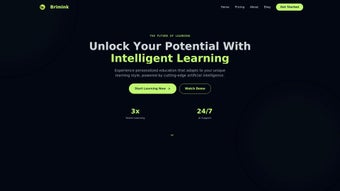
Brimink is an AI‑powered writing and research assistant specifically engineered for students, scholars, and professionals who demand precision, speed, and depth in their academic work. Built as a subscription‑based web application, Brimink blends natural‑language processing with advanced information‑retrieval algorithms to provide a seamless environment where essay structuring, phrasing suggestions, grammar proofreading, and literature discovery coexist in a single, secure dashboard. The platform’s core promise is to eliminate the repetitive friction points that often plague academic projects—whether that’s organizing a complex thesis outline, finding the most relevant peer‑reviewed articles, or polishing a manuscript to meet journal standards.
By integrating these capabilities into a cloud‑first solution, Brimink enables users to work from any modern browser without the need for local installations, while still offering robust data‑privacy controls that comply with institutional guidelines. In practice, the assistant can parse a research prompt, propose a logical flow of sections, suggest citations from indexed databases, and iteratively refine the text based on user feedback. This dual focus on writing craftsmanship and research efficiency makes Brimink a compelling productivity booster for anyone engaged in scholarly communication, from undergraduate essay writers to seasoned faculty members preparing grant proposals.
Key Features That Set Brimink Apart
- Dynamic Essay Structuring: The AI analyses the assignment brief and generates a hierarchical outline, suggesting headings, sub‑headings, and logical progression that align with academic conventions.
- Contextual Phrasing Suggestions: Brimink offers sentence‑level rewrites that preserve the original intent while improving clarity, tone, and scholarly diction.
- Grammar & Style Proofreading: Powered by a deep‑learning grammar engine, the tool catches subject‑verb agreement errors, misplaced modifiers, and citation style inconsistencies in real time.
- Intelligent Literature Retrieval: By connecting to major academic databases (PubMed, IEEE Xplore, JSTOR, etc.), Brimink surfaces the most relevant peer‑reviewed papers, abstracts, and DOI links based on the user’s keywords.
- Citation Management Integration: Export references directly to popular reference managers such as Zotero, Mendeley, and EndNote, or generate formatted bibliography strings in APA, MLA, Chicago, and Vancouver styles.
- Collaborative Workspace: Multiple users can share a project folder, leave inline comments, and track revision history, which is especially useful for group assignments or co‑authored research.
- Secure Cloud Storage: All documents are encrypted at rest and in transit, meeting GDPR and FERPA standards, so users can trust that their intellectual property remains protected.
- Continuous Updates & Learning: Brimink’s AI models are refreshed monthly with the latest linguistic corpora and research metadata, ensuring that suggestions stay current with evolving academic standards.
Installation, Usage, and Compatibility
Because Brimink is delivered as a web‑based SaaS platform, there is no traditional “installation” process. Users simply navigate to www.brimink.com, create an account, and select a subscription tier that matches their needs—ranging from a free trial with limited daily queries to a premium plan with unlimited access and priority support. The sign‑up flow is straightforward: an email address, a password, and optional two‑factor authentication for enhanced security. Once logged in, the dashboard presents a clean, modular interface where users can start a new project, import an existing document, or explore the research assistant panel.
Using Brimink is intuitive even for those with minimal technical background. After entering a topic or uploading a draft, the AI begins analyzing the text within seconds. The “Outline” tab displays a suggested structure that can be dragged, renamed, or deleted with a click.
The “Write” tab offers real‑time phrasing and grammar suggestions; users can accept, reject, or edit each recommendation. The “Research” tab accepts keyword queries and returns a curated list of scholarly articles, complete with abstracts and citation metadata. For citation handling, a single button adds the selected source to a growing bibliography, which can be exported in the desired style at any point.
Compatibility: Brimink runs on any modern browser that supports HTML5 and JavaScript—Chrome, Firefox, Safari, Edge, and Opera are fully supported on desktop operating systems (Windows 10/11, macOS Ventura and later, Linux distributions). Because the platform is cloud‑native, it also works on mobile browsers for Android 9+ and iOS 13+, although the full feature set (especially the research database integrations) is optimized for larger screens.
Performance is smooth thanks to lightweight front‑end code and server‑side AI processing. Users on slower connections may experience a brief latency when the system retrieves large literature sets, but Brimink caches recent queries to minimize repeat load times. Additionally, the platform offers a “Offline Draft” mode where users can continue writing without an internet connection; changes sync automatically once connectivity is restored.
Pros, Cons, and Frequently Asked Questions
Pros
- All‑in‑one solution for writing, editing, and research.
- Highly accurate AI suggestions that respect academic tone.
- Seamless integration with major citation managers.
- Robust security and compliance with data‑privacy regulations.
- Cross‑platform accessibility—works on Windows, macOS, Linux, Android, and iOS.
Cons
- Requires a stable internet connection for full functionality.
- Subscription cost may be a barrier for some students without institutional support.
- Advanced research features are limited in the free trial tier.
- Mobile experience, while usable, lacks some desktop‑only advanced controls.
FAQ
Is Brimink compatible with my university’s library databases?
Brimink connects to most major academic repositories through open APIs (PubMed, IEEE Xplore, JSTOR, Scopus, etc.). If your institution provides proxy access, you can configure Brimink to use those credentials for full‑text retrieval.
Can I export my work in LaTeX format?
Yes. Brimink includes an export option that converts the final manuscript into a clean LaTeX template, preserving section headings, citations, and basic formatting.
How does Brimink protect my data?
All files are encrypted with AES‑256 both at rest and during transmission (TLS 1.3). Brimink complies with GDPR, FERPA, and ISO/IEC 27001 standards, and you can enable two‑factor authentication for added security.
What subscription plans are available?
Brimink offers a 14‑day free trial, a student plan at $9.99 USD/month, a professional plan at $19.99 USD/month, and an enterprise license with custom pricing for institutions.
Can I use Brimink offline?
Basic drafting can be done offline; however, AI‑driven suggestions and literature searches require an internet connection. Changes made offline sync automatically once you reconnect.
After testing Brimink for a full semester, I found its AI‑driven outline generator to be a genuine time‑saver, and the research integration helped me locate high‑impact papers that would have otherwise required multiple database logins. The only drawback was occasional latency during peak usage, but overall the platform delivers a solid ROI for academic writers.
Conclusion – Why You Should Download Brimink Today
In an era where information overload and tight deadlines dominate academic life, Brimink emerges as a focused, secure, and intelligent partner that bridges the gap between writing craftsmanship and research depth. Its AI‑backed features—dynamic outlining, contextual phrasing, real‑time proofreading, and integrated literature discovery—work together to reduce the mechanical workload that often distracts scholars from original thought. Because the service runs entirely in the browser, you benefit from instant updates, cross‑device accessibility, and the peace of mind that comes with industry‑grade encryption.
Whether you are an undergraduate tackling your first research paper, a graduate student drafting a dissertation chapter, or a seasoned professor preparing a grant proposal, Brimink’s tiered subscription model offers a cost‑effective way to elevate your productivity. The free trial lets you explore the core capabilities risk‑free, while the premium plans unlock unlimited AI queries, priority support, and advanced export options such as LaTeX and citation‑manager syncing.
Ready to experience a smoother, more organized academic workflow? Download Brimink now, start your free trial, and see how AI can transform the way you write and research. With continuous model improvements, responsive support, and a community of scholars already benefitting from the platform, there’s no better time to make Brimink your go‑to academic assistant.



.png)



